Z AI GLM-5.1
Tool
Z.ai GLM-5.1: A Hands-On Look at the Agentic Chat That Builds, Writes, and Connects
If you have tried more than two or three AI chat tools, the first thing you will notice about Z.ai’s GLM-5.1 is how familiar it feels. The layout is the now-standard clean canvas: a conversation in the middle, an input box at the bottom, a tidy sidebar. There is almost no learning curve. But spend a little time with it and you find that the familiar shell hides a model built for something more ambitious than answering questions — it is built to actually do things.
We have been testing GLM-5.1 to make adjustments to some of our games, and the short version is: it works well. Below is what stood out.
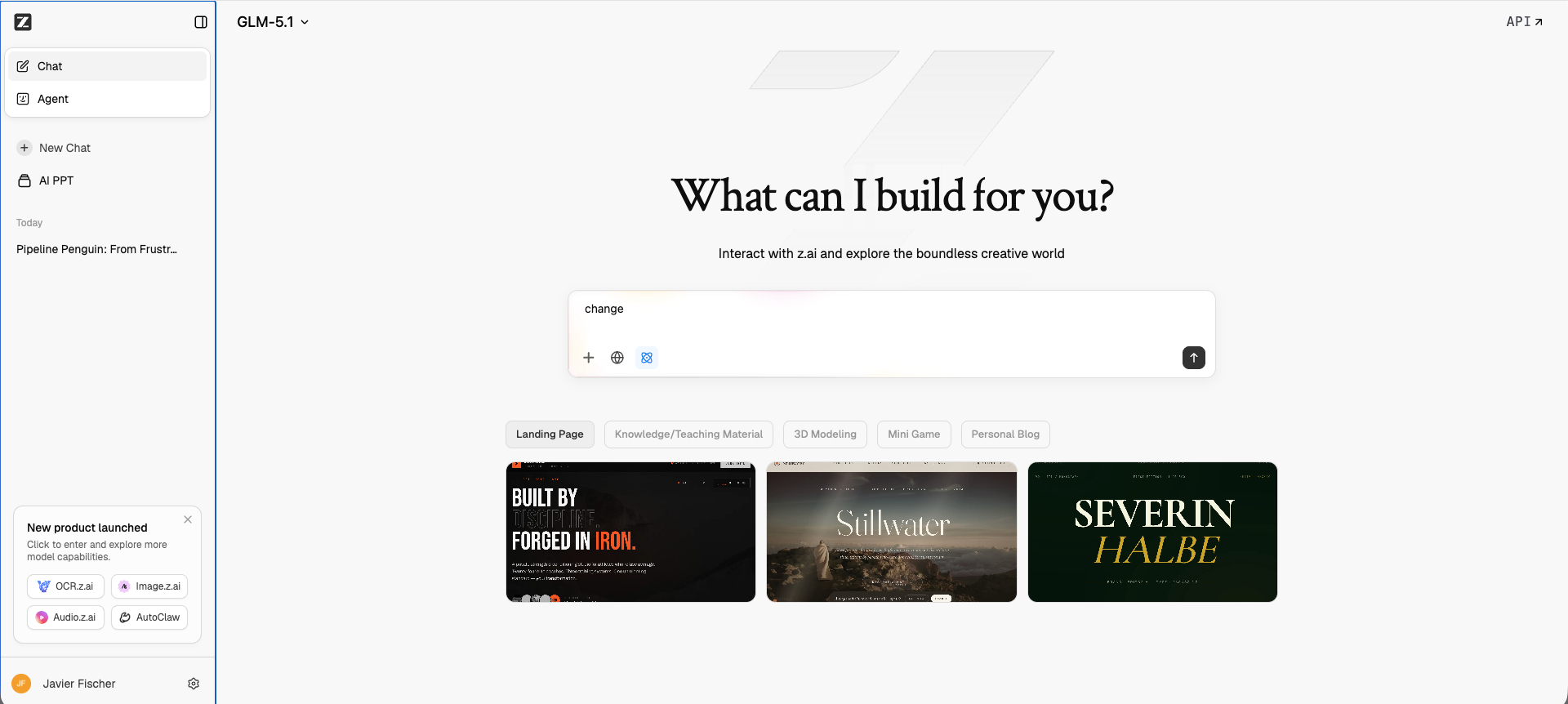
A familiar interface with real depth
Z.ai groups its capabilities into a few clear modes, the kind you would expect from any modern chatbot — but each one is more capable than the label suggests:
- Full-Stack — the development mode for building and editing applications, front-end and back-end together.
- Writing — a focused mode for drafting, rewriting, summarizing, and producing long-form content.
- Data Insight — for analyzing files and data and turning them into readable answers, tables, and charts.
For our use case, the Full-Stack option was the standout. We used it to tweak game code, and it handled the back-and-forth cleanly: it understood the existing structure, made the changes we asked for, and kept the project coherent across iterations instead of breaking things along the way. If you build small web apps or games, this is the mode you will live in.
The Agent tab: build anything, then connect it
The most interesting part of Z.ai is the Agent tab. Instead of just chatting, you describe a goal and let the agent plan and execute it end to end — the platform is designed for long, multi-step tasks rather than single replies.
What makes it genuinely useful is connectivity. The Agent can be connected to outside apps, including Discord, Lark (Feishu), and WeChat. That turns the assistant from a browser tab into something that can live where your team already talks — replying to messages, running tasks, and pushing results straight into your chats. For teams that coordinate on those platforms, that is a real workflow upgrade, not just a novelty.
Beyond that, the platform packs in the features you would expect from a top-tier assistant: real-time web search, image generation, document and image analysis, a slides/presentation agent, deep research, and translation across 40+ languages. There is even playable mini-game generation, which is a fun touch if you are experimenting like we were.
What is under the hood
The reason the Full-Stack and Agent experiences feel solid is the model itself. GLM-5.1, developed by Z.ai, is positioned as a next-generation flagship for agentic engineering — meaning coding plus autonomous, tool-using workflows. A few things worth knowing:
- Strong coding performance. GLM-5.1 posts state-of-the-art results on demanding software-engineering benchmarks and improves clearly over the previous GLM-5, especially on real-world coding and terminal tasks.
- Built for the long haul. Its standout trait is staying effective over long sessions — breaking a problem down, running steps, reading results, and revising its approach across many rounds of tool calls. In practice, that is exactly what you want when iterating on a project.
- A large context window. GLM-5.1 supports a very large context (around 200K tokens), so it can hold a lot of code or documents in a single conversation without losing the thread.
- Disciplined output. It is notably reliable at structured output — valid JSON, clean tables — which matters when you are feeding its responses into another system.
It is also worth noting that Z.ai moves fast: GLM-5 was followed by GLM-5.1, and the public chat has since begun rolling out an even newer GLM release. So depending on when you read this, the chat may already be running a more recent version — but the experience and structure we describe here hold up.
Access and pricing
For everyday use, the Z.ai chat is free, and basic access does not require an account. If you want to build on top of GLM-5.1 in your own products, the official Z.ai API offers a free tier plus paid plans, with OpenAI-compatible SDKs that make integration straightforward.
Our verdict
Z.ai with GLM-5.1 is one of those tools that looks ordinary and behaves anything but. The interface won’t surprise anyone, and that is a good thing — there is nothing to learn. What surprises you is the depth: a Full-Stack mode that can genuinely help build and fix software, and an Agent tab that connects to Discord, Lark, and WeChat to take action where your work actually happens.
If you write code, build small apps or games, or want an assistant that can run multi-step tasks and plug into your team’s chat apps, GLM-5.1 is well worth a test drive. For us, it earned a spot in the toolkit — and that is the highest compliment we give a tool.
Tried it yourself? Tell us what you built — we are always curious how these tools hold up in real projects.